Classic LED workflows rely on libraries of pre-rendered effect files. LEDEdit Pro 2026 generates its effects itself — which means every effect can be recoloured, slowed down, resized to your layout and previewed per LED instantly. There are 151 effects in 17 categories, and 149 built-in palettes to colour them.
The 17 effect categories
| Category | Effects | Examples |
|---|---|---|
| Video Motion | 45 | Motion Aurora Curtain, Motion Double Helix, Motion Comet Circuit, Motion Diamond Zoom |
| Video LEDEdit | 22 | LED Chaser Forward / Reverse / Bounce, LED Ripple Round, LED Port Wave, LED Pulse Train |
| Organic | 15 | Plasma Flow, Fire / Heat, Aurora Panel, Lava Lamp, Ocean Waves, Fireflies, Perlin Clouds |
| Grid | 12 | Dot Matrix Scroll, Maze Crawl, Panel Equalizer, Checker Scroll, Concentric Squares |
| Simple | 10 | Solid, Breathe, Blink, Comet, Color March, Palette Chase, Waveform |
| Pattern | 9 | Matrix Rain, Radar Sweep, Starburst, Bouncing Balls, Strobe Blocks |
| Motion | 7 | Meteor Shower, Ribbon Flow, Scanner Bar, Tunnel Vortex, Shape Tunnel |
| Stripe | 6 | Color Wipe, Theater Chase, Stripe Runner, Stack Fill |
| Classic | 5 | Colorloop, Running Lights, Dissolve, Circus, Spots Fade |
| Panel | 5 | Kaleidoscope, Neon Rings, LED Rain, Block Pulse, Panel Scanlines |
| Crazy | 3 | Glitch Storm, Lightning Chain, Pixel Rain |
| Transition | 3 | Fade In, Fade Out, Wipe |
| Video Static | 3 | Static Bars, Static Block Pulse, Static Dot Matrix |
| VJ | 2 | Floating Orbs, VJ Tunnel |
| WLED | 2 | Dynamic Smooth, Popcorn |
| Gradient | 1 | Gradient |
| Utility | 1 | Percent Fill |
Which to use where?
- Strips and outlines: Simple, Stripe, Classic and the Video LEDEdit chasers — they read well on single lines of pixels.
- Matrices and screens: Organic, Panel, Grid, Pattern and Video Motion — they need two dimensions to shine.
- Transitions between clips: Fade In, Fade Out and Wipe.
- Progress bars and levels: Percent Fill.
Shaping an effect
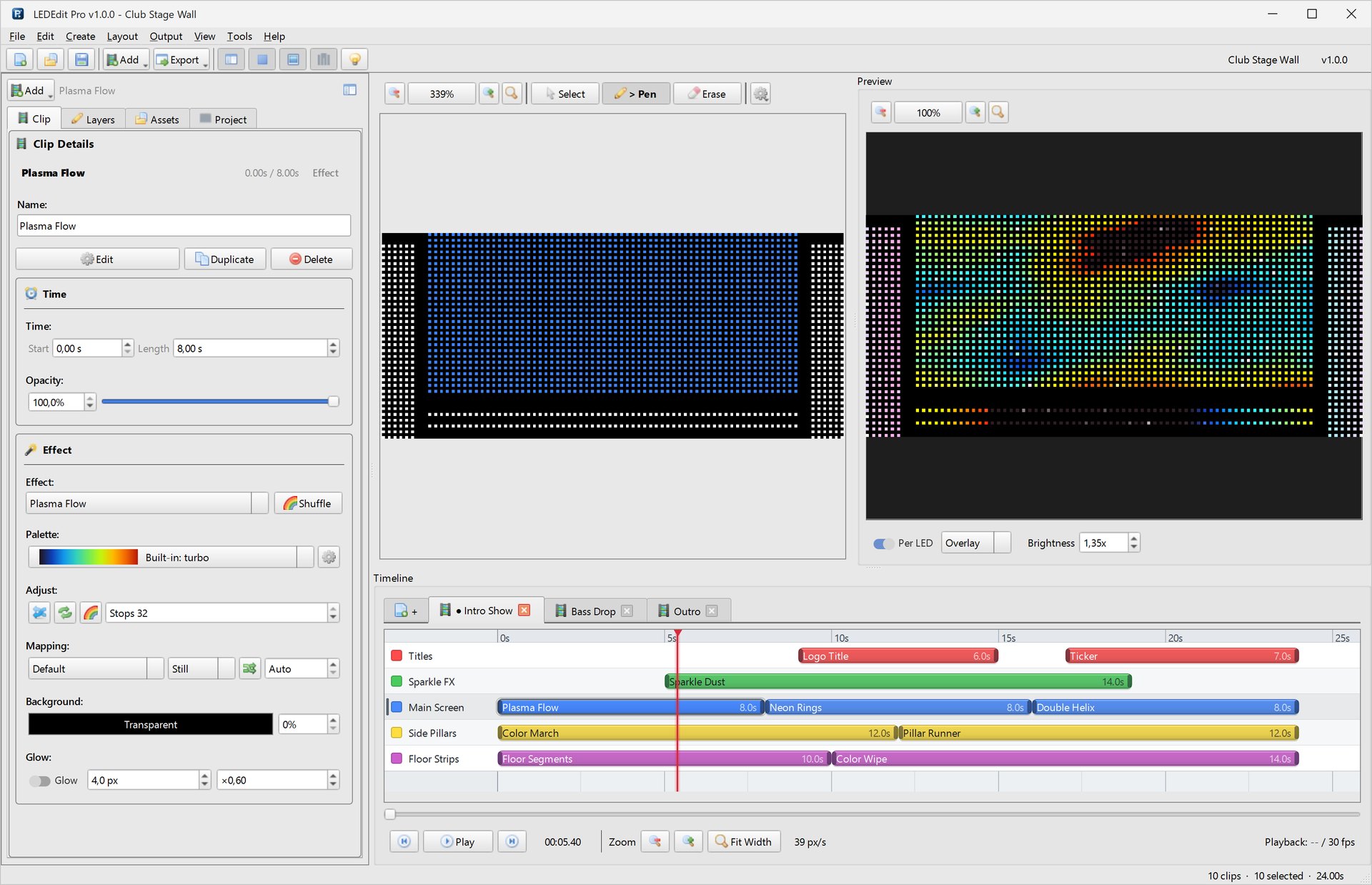
Select an effect clip and click Edit. On the left:
- Search effects and filter by category.
- Shuffle — jump to a random variation for inspiration.
- Palette — pick any of the 149 palettes, or open the palette editor.
- Speed and Duration.
- BG — transparent or a background colour with its own opacity.
- Glow — adds soft bloom around lit pixels.
- Reset — back to defaults.
On the right, Parameters lists what’s unique to the effect. Neon Rings, for example, has ring count, ring width, glow softness, shape, center X / Y and direction. A Filter parameters box helps on effects with many controls.
Tip: Keep one palette per scene across all layers. Different effects in the same palette look designed; different palettes on every layer look random.
Palettes and the palette editor
Tools → Palette Editor manages reusable palettes.

- Start from a preset such as synthwave, then Save, Rename or Delete your own.
- Edit the colour list directly: Add, Edit, Remove, Up, Down.
- Transform the palette: + Stop, Reverse, Invert, Double, and set the number of Colors.
- Build new ones in the Quick Gradient, Generators, Combine and Anchors tabs, or quick-add pure colours.
- Import .pal / .hex… to bring in palettes from other tools.
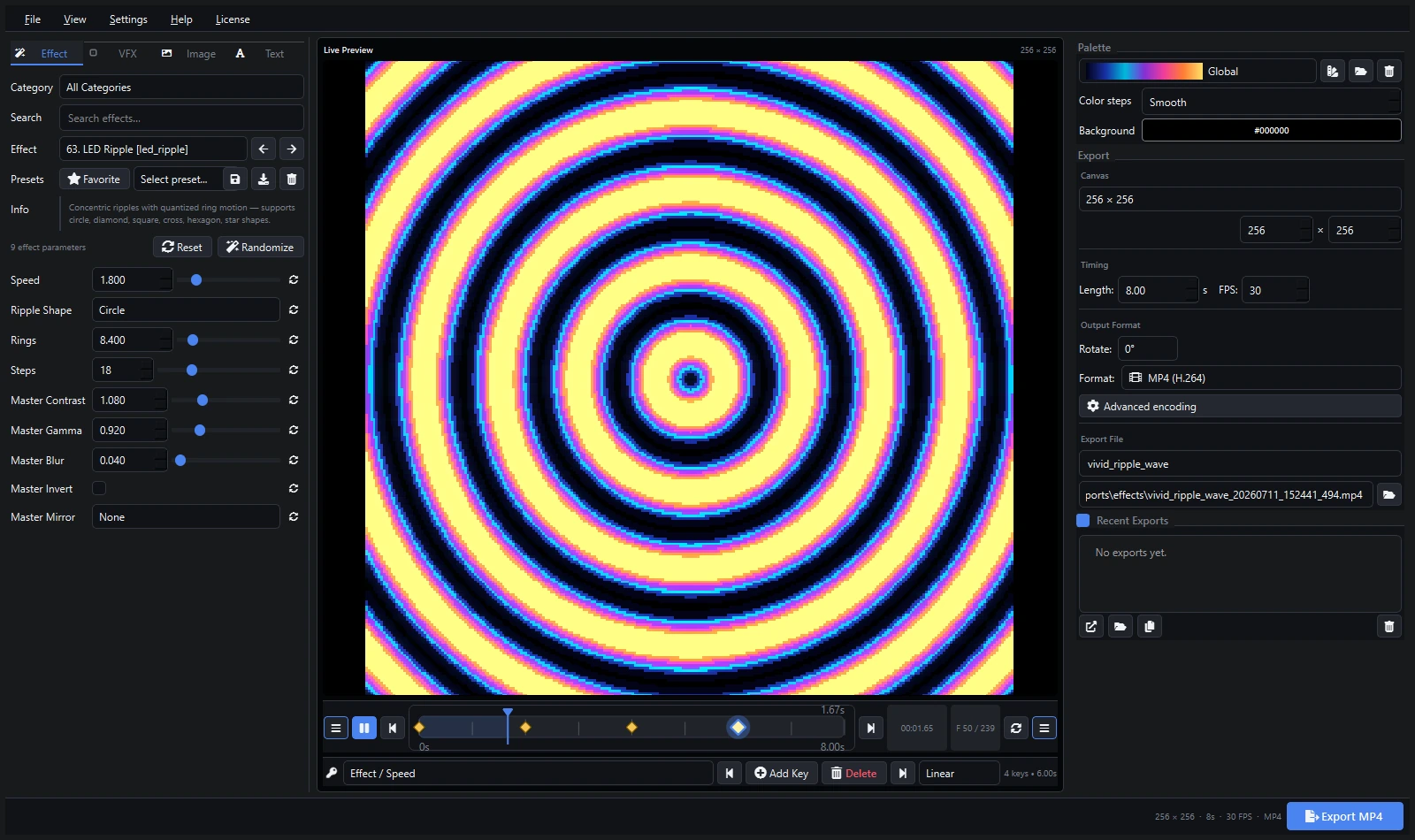
Render effects as video: the Video Generator
Tools → Video Generator turns any effect into a video file — useful for other LED software, for client previews, or to reuse a finished look as a video clip.

- Choose the effect, adjust its parameters and master controls (contrast, gamma, blur, invert, mirror), background colour, palette and colour steps.
- Watch the Live Preview with Animate preview.
- Set the size (custom width × height or from a layer), length, FPS and rotation.
- Export as Lossless AVI (FFV1), MP4 (H.264), Animated GIF or an Image Sequence (PNG).
- Files are saved in the project’s
exports/effectsfolder; Export to Layer puts the result straight onto a timeline layer.
Beyond effects: video export of the whole show
Ctrl+E renders the entire show — all layers combined — to MP4 (H.264/H.265), AVI (RAW or HuffYUV), MKV (FFV1), MOV (ProRes 4444) or XDAT, chosen in Tools → Settings. For LED work, lossless formats keep colours exact; MP4 is best for sharing.