LEDEdit Pro 2026 Review: An Honest Look
This is a hands-on review after extended real use: building multi-zone shows on the timeline, testing the 151 built-in effects, previewing per-LED output, and exporting .led packages for T-1000 and K-1000 controllers. What holds up, what doesn’t, and who should spend the €99.
What It Is
A Windows editor (€99 + VAT, lifetime license) for programming SD-card pixel LED controllers: multi-layer timeline with scenes, 151 effects, per-LED preview, LED Layout Creator with DXF support, and export for 19 controller families. Full breakdown in the pricing post.
What Worked Well
Timeline with scenes. Building a show as scenes with layered clips — instead of one flat effect — is the single biggest upgrade over free LEDEdit. Revising a client show takes minutes instead of rebuilding.
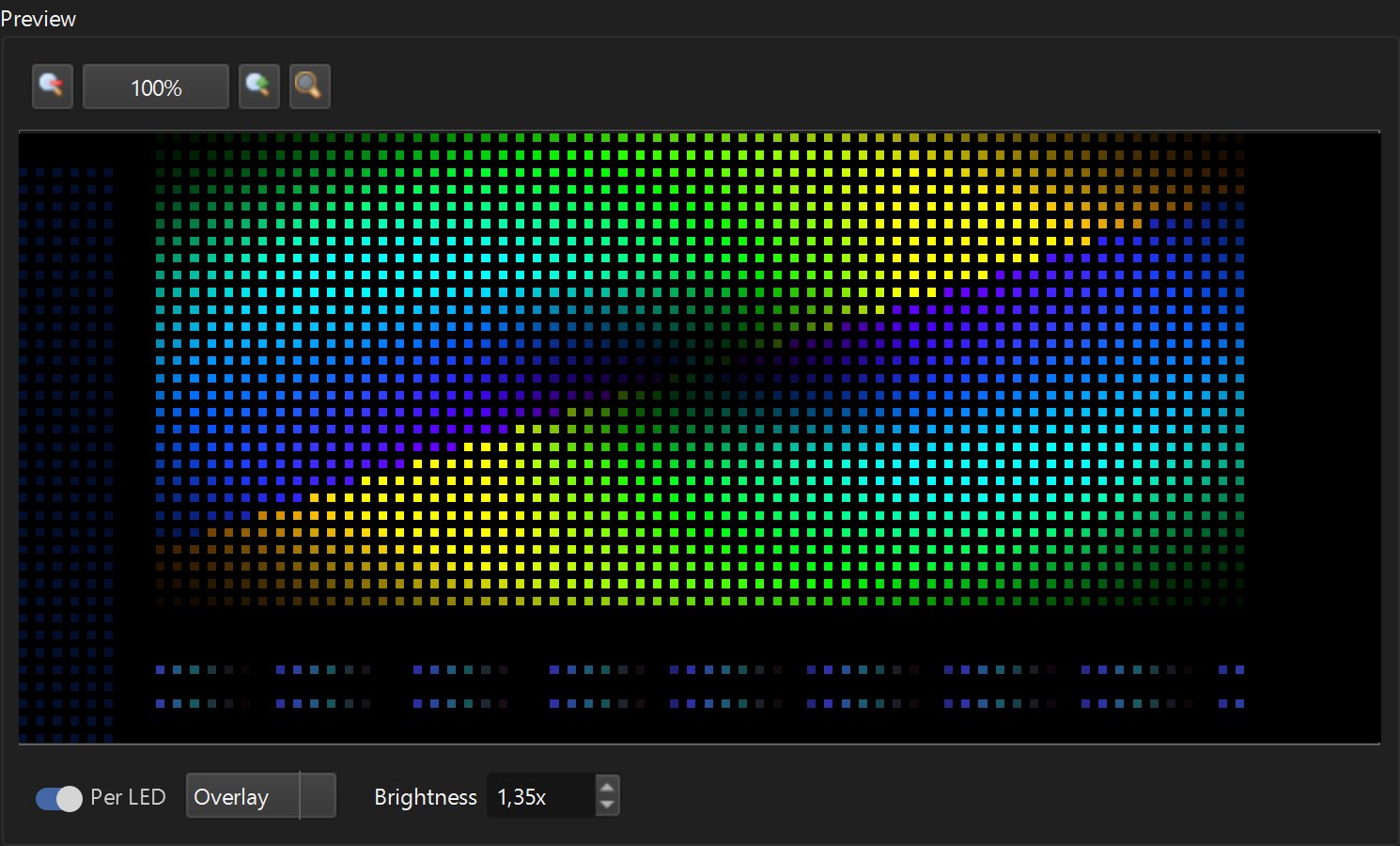
Per-LED preview. Seeing exactly what the pixels will do before touching an SD card removes the most annoying part of the classic workflow: program, walk to the display, discover a mistake, walk back.
151 built-in effects. A genuinely deep library covering the looks clients actually ask for, plus text and titles that free LEDEdit handles poorly.
Layout Creator with DXF. Importing existing layouts and exporting back to DXF kept old projects usable — no starting over.
One-time price. €99 once vs subscriptions elsewhere. The math favors anyone who builds shows regularly.
What Could Be Better
Windows only. No macOS version — verify compatibility before buying.
Learning curve for timeline thinking. Free LEDEdit users who think in single effects need an evening with the getting started tutorial to click with scenes and layers.
Not a live player. It authors SD-card shows; it doesn’t drive matrices live from a PC. For live walls, pair it with playback tools.
Overkill for one-effect installs. A single static effect on one controller doesn’t need a timeline — free LEDEdit stays the right answer there (comparison).
Who Should Buy It
- Installers building multi-zone shows, titles, and scenes
- Shops and venues that revise content regularly
- Anyone programming T-1000/K-1000 controllers weekly
- Users who want per-LED preview before export
Who Shouldn’t
- One-effect, one-controller installs (stay free)
- Mac-only studios (no macOS build)
- Live-matrix performers (a player fits better)
Verdict
LEDEdit Pro 2026 does one job — authoring SD-card LED shows — with a modern timeline, honest one-time pricing, and the deepest effect library in its class. Its limits are clearly stated: Windows only, authoring not live playback, overkill for trivial installs. Recommended for working installers on Windows.