Building a professional LED display setup requires more than just a controller — you need the right software stack to create, manage, and deliver stunning visual content.
This guide covers the three essential tools that every LED enthusiast should have in their arsenal.
The Three-Layer LED Workflow
Layer 1: Create — Pixel LED Animator 3
Purpose: Design custom pixel LED effects from scratch
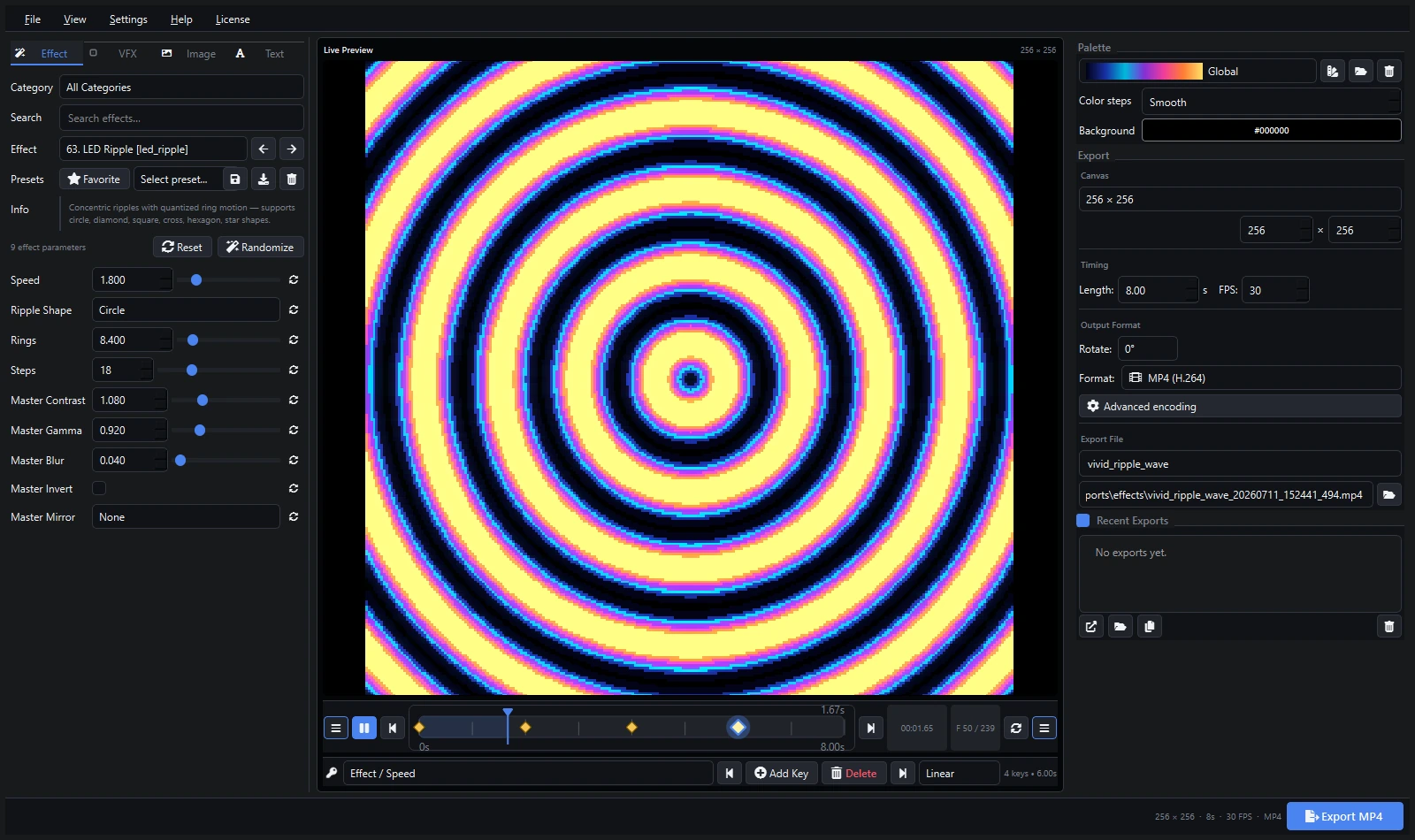
Pixel LED Animator 3 is your creative engine:
- 100+ built-in effect templates to start from
- Layer multiple effects for unique combinations
- Real-time preview for instant feedback
- Export to SWF, AVI, MP4, MOV, GIF, PNG sequence
Best for: Custom branding, unique show content, personalized effects
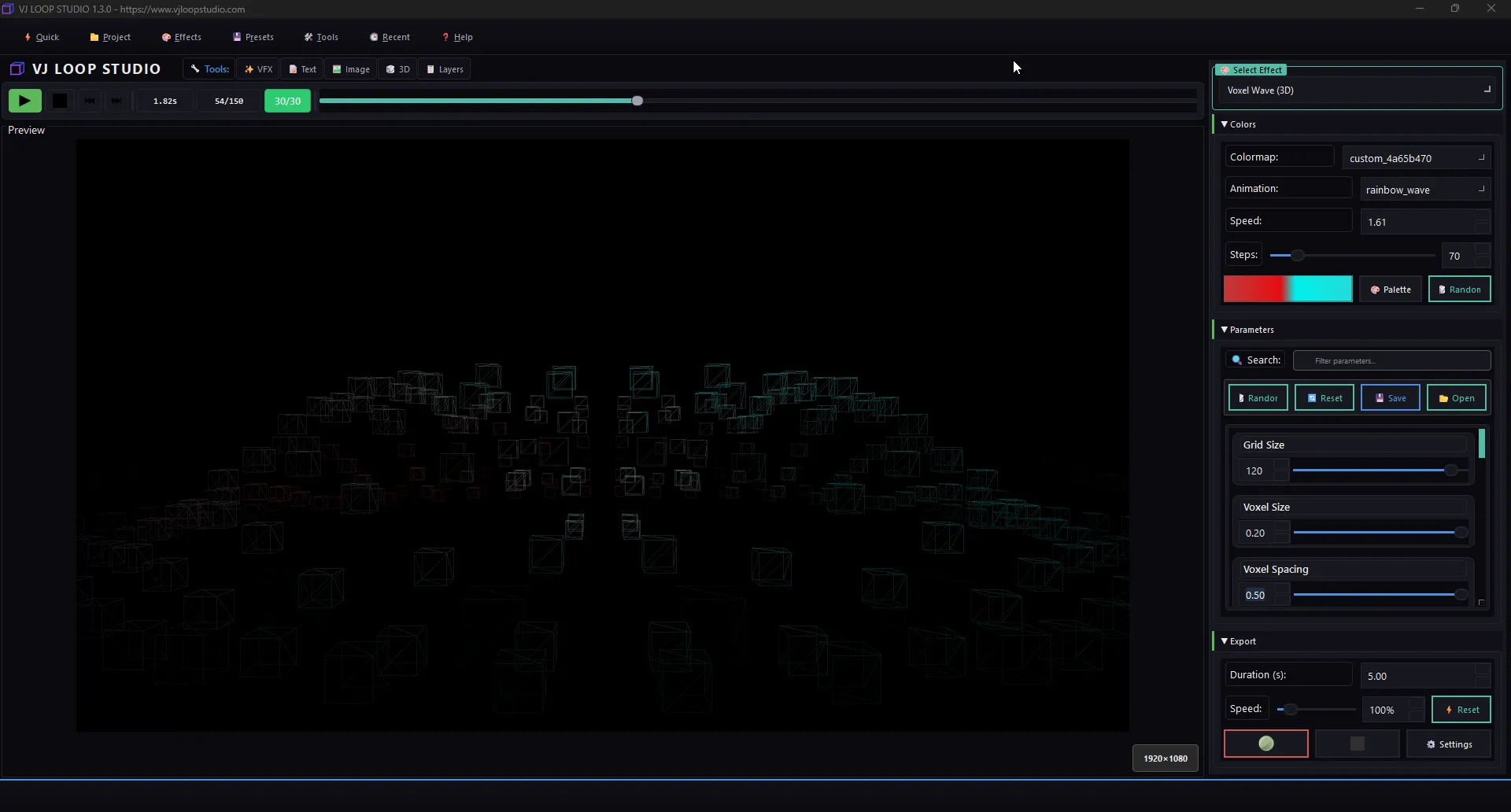
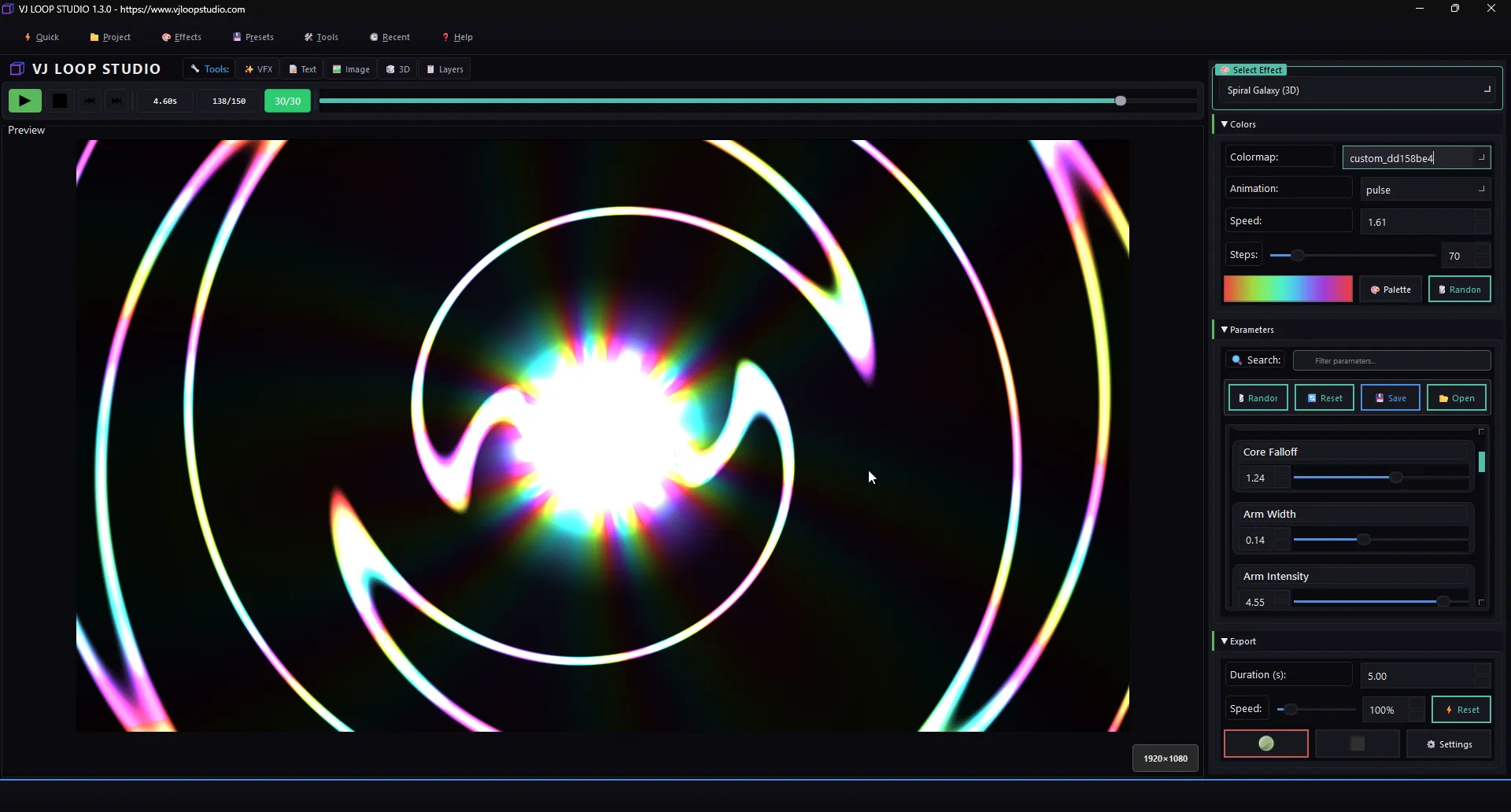
Layer 2: Enhance — VJ Loop Studio
Purpose: Generate professional VJ loops and advanced LED visuals
VJ Loop Studio adds production value:
- 85 effects generators for unlimited variety
- 3D objects with neon effects
- 4K/8K export for large-scale displays
- Multi-layer compositing and VFX
- Custom color palettes with 13 animation types
Best for: Live performances, club visuals, broadcast-quality content
Layer 3: Download — LED Pixel Bundle
Purpose: Instant access to 4,200+ ready-made effects
The LED Pixel bundle is your content library:
- 4,200+ professional pixel LED animations
- 4 formats: AVI, SWF, MOV, MP4
- Compatible with ALL major LED software
- Categories covering every use case
Best for: Quick content, variety, filling out your library
How They Work Together
Pixel LED Animator 3 (Create custom effects)
        ↓
VJ Loop Studio (Enhance with 3D, neon, VFX)
        ↓
LED Pixel Bundle (Download ready-made content)
        ↓
Your LED Controller (LedEdit, Jinx!, Madrix, etc.)
Real-World Workflow Example
Creating a holiday light show:
- Download Christmas-themed effects from the LED Pixel bundle for instant content
- Create custom text effects (e.g., “Merry Christmas”) with Pixel LED Animator 3
- Enhance with 3D snowflake visuals from VJ Loop Studio
- Import everything into xLights or LedEdit for sequencing
Which Tools Do You Need?
| Scenario | Recommended Stack |
|---|---|
| Beginner, need effects fast | LED Pixel Bundle |
| Creating custom shows | Pixel LED Animator 3 + LED Pixel Bundle |
| Professional VJ / live events | All three tools |
| Architectural installations | VJ Loop Studio + LED Pixel Bundle |
| Holiday displays | LED Pixel Bundle + Pixel LED Animator 3 |
Summary
| Tool | Best For | Key Feature |
|---|---|---|
| Pixel LED Animator 3 | Creating custom effects | 100+ templates, SWF export |
| VJ Loop Studio | Professional visuals | 85 generators, 3D, 4K |
| LED Pixel Bundle | Ready-made content | 4,200+ effects, 4 formats |
Start building your LED software stack today and create displays that captivate and impress.