
Everything you need to program an LED show
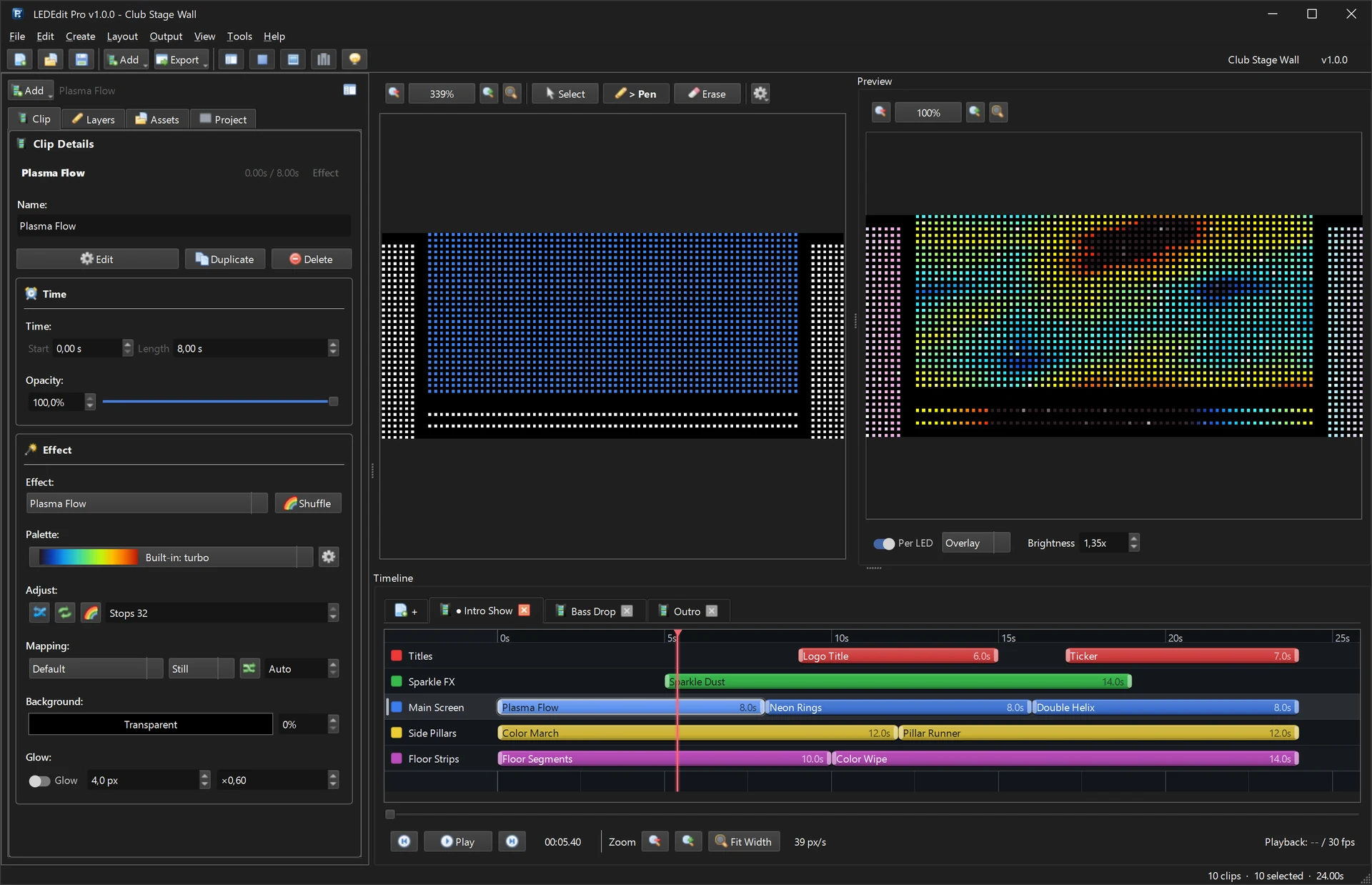
These are real screenshots from LEDEdit Pro 2026 with one demo project: a club stage wall with a 2,328-LED main screen, side pillars and floor strips on 7 controller ports.
Timeline & scenes
Build whole shows on a multi-layer timeline
- Split a show into scenes — intro, drop, outro — and export the ones you need.
- Place effect, text, image and video clips on layers that each cover part of your LED layout.
- Snap, zoom to fit, copy, paste and duplicate clips, with full undo.

LED Layout Creator
Map every LED the way it is wired
- Draw LEDs on a millimetre grid and wire them serpentine, linear or manually.
- See each port’s LED count against the controller limit; Layout Check flags problems before export.
- Import and export LEDEdit DXF layouts.

Per-LED preview
See exactly what your LEDs will show
- The live preview samples every frame onto your real LED positions.
- Switch between overlay and LED-only views and adjust preview brightness.
- Scrub the timeline or play it back before anything goes to the SD card.

One-click SD export
Export straight to the controller’s SD card
- Choose the controller family and chip type, then export LEDEdit
.ledfiles. - The export preflight lists scenes, frame rate, ports and LED count before anything is written.
- Extra tools for DMX address configs, time schedules, Q12 settings and firmware packages.
- Controller won’t play the file? Export DXF + AVI and finish in free LEDEdit — fallback guide.

Works with the controllers you already use
LEDEdit Pro 2026 writes the SD-card formats of these controller families, so you can keep your existing hardware:
- T-1000 / T-2000
- K-1000 / K-1000C
- K-8000 / T-8000
- T-4000
- T1K-U-2048
- T2K-U-1024
- T4K-U-1024
- T8K-U-1024
- T12K-U-200 / T20K-U-200
- T1K-512 DMX512
- T-100K / T-500K
- RH-ALL-NEW
- DC-COLOR
- DMX & monochrome
Plus 334 chip and IC types, including WS2811 and WS2812B. See the full feature tour →
Effects, palettes and titles built in


One price. Lifetime license.
LEDEdit Pro 2026
€99 + VAT
One-time payment via Gumroad. No subscription.
- Lifetime license with free updates
- All 151 effects, 149 palettes and every export format
- LED Layout Creator and Video Generator included
- Activate with your license key and receipt email